Odoo apps
Odoo is a set of apps that share the same data. Pick the ones you need now. Add others later, without moving to a new system.
01
Sell and serve
From the first lead to the till and the web shop.
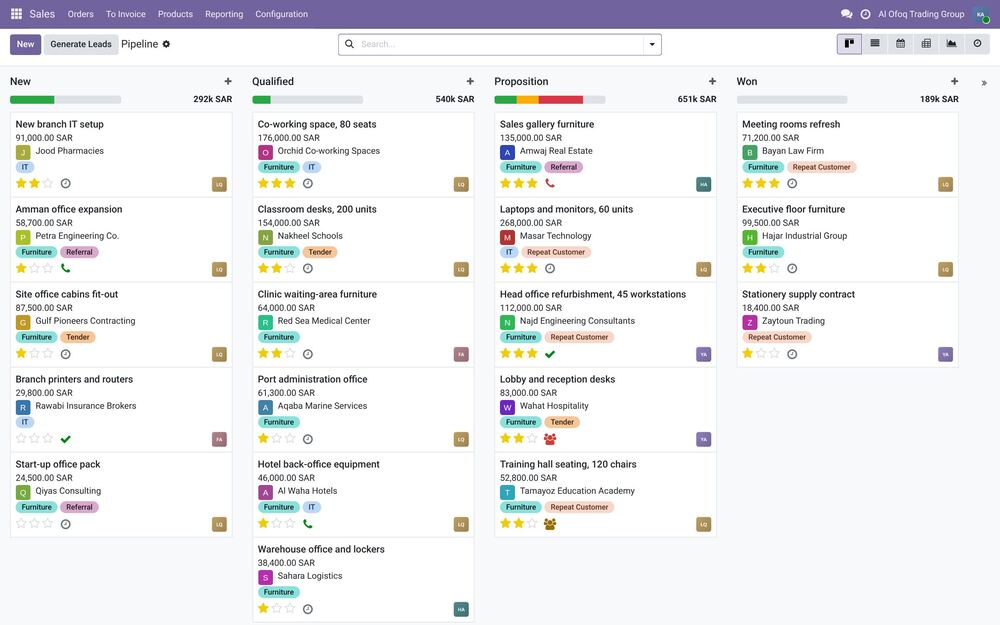
Sales & CRM
Follow every deal from the first call to the paid invoice.
Who it's forSales managers and sales teams who handle quotes, follow-ups and customer accounts, and owners who want to know what's coming in.
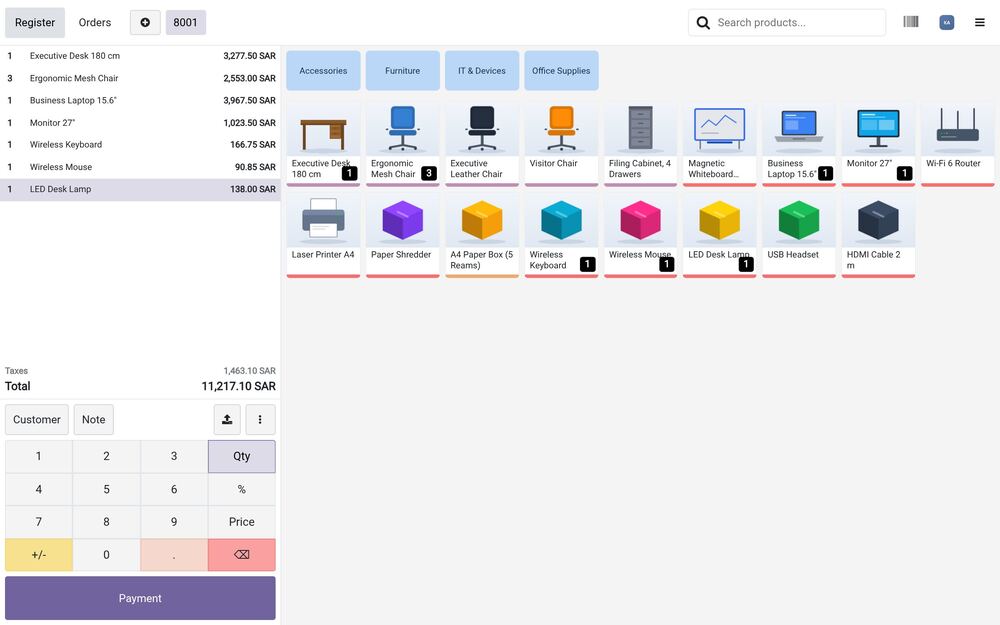
Point of Sale
Sell fast at the counter, with stock updated after every sale.
Who it's forShops, showrooms, cafés and restaurants, with one branch or many.
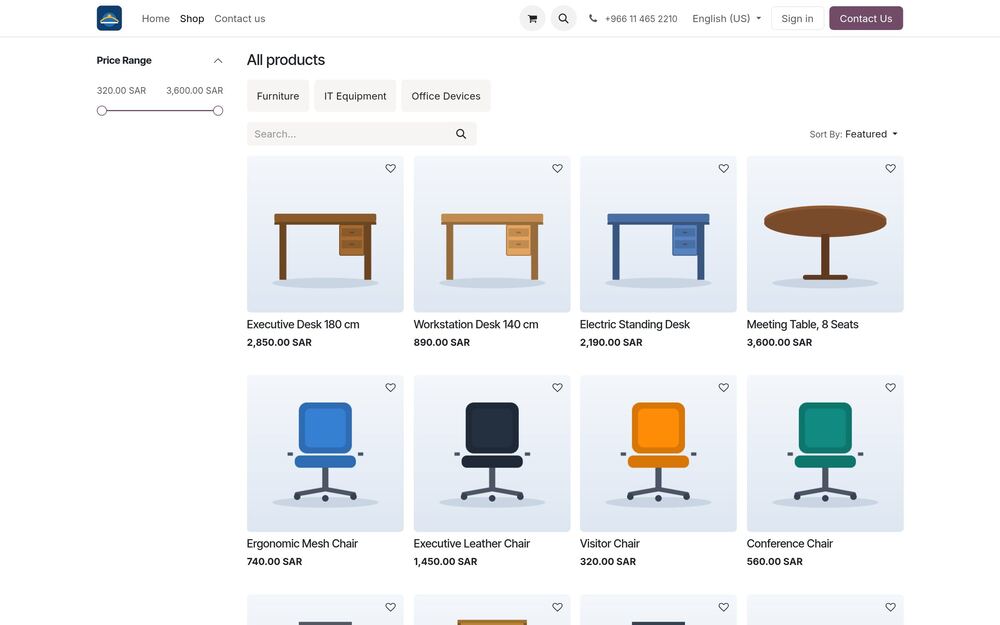
Website & eCommerce
An online store connected to your stock and your books.
Who it's forShops, distributors and brands that want to sell online, and companies that need a website without a separate system.
02
Operate and stock
Goods keep moving and work stays on schedule.
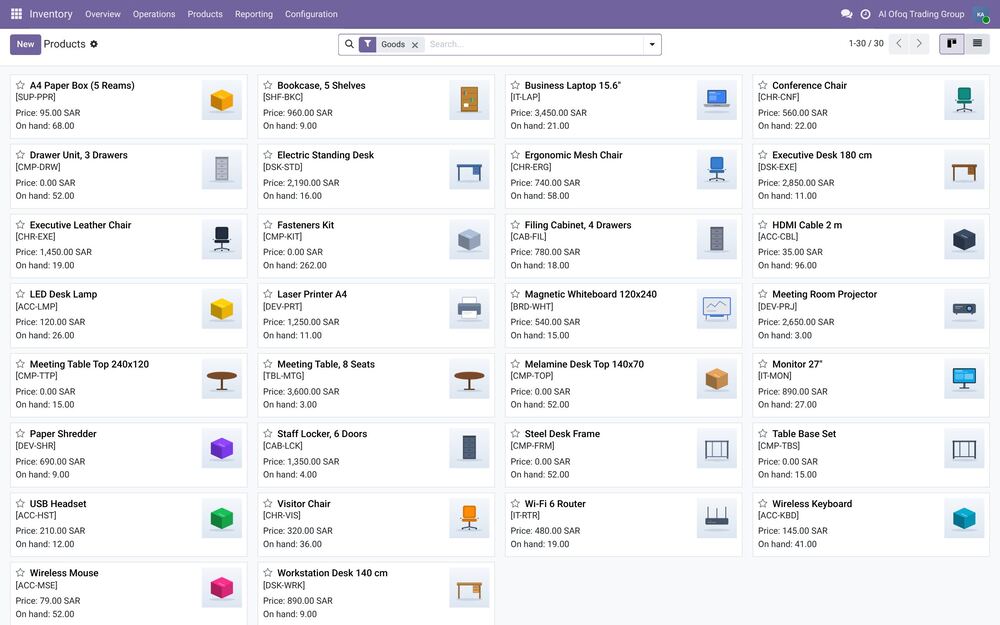
Inventory & Warehouse
Know what's in stock and where, at any moment.
Who it's forWarehouse managers, storekeepers, and owners who are tired of counts that never match the system.
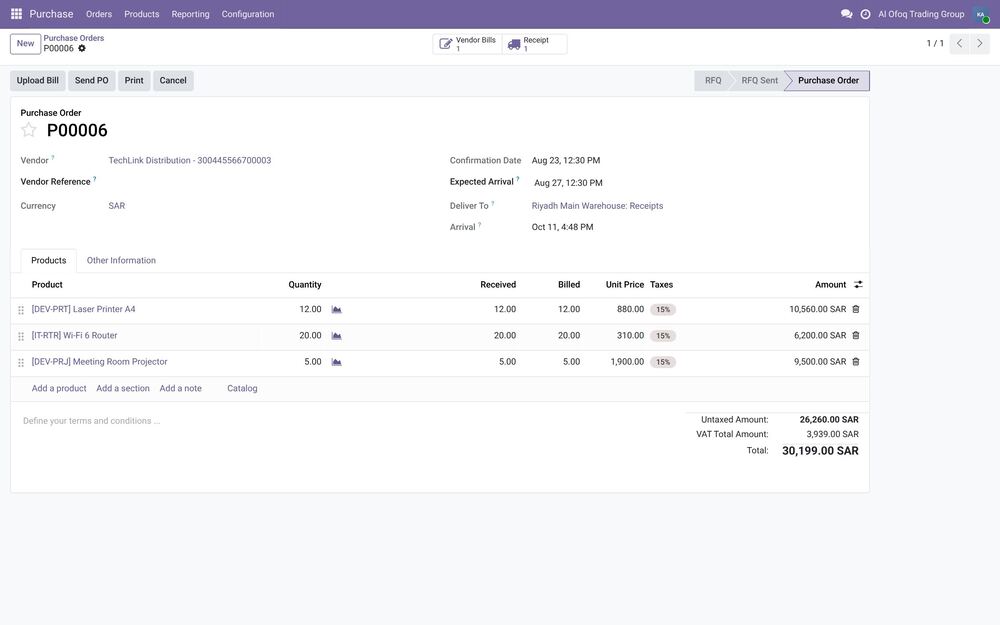
Purchase
Order on time, and pay only for what arrived.
Who it's forPurchasing officers, procurement managers, and owners who approve spending.
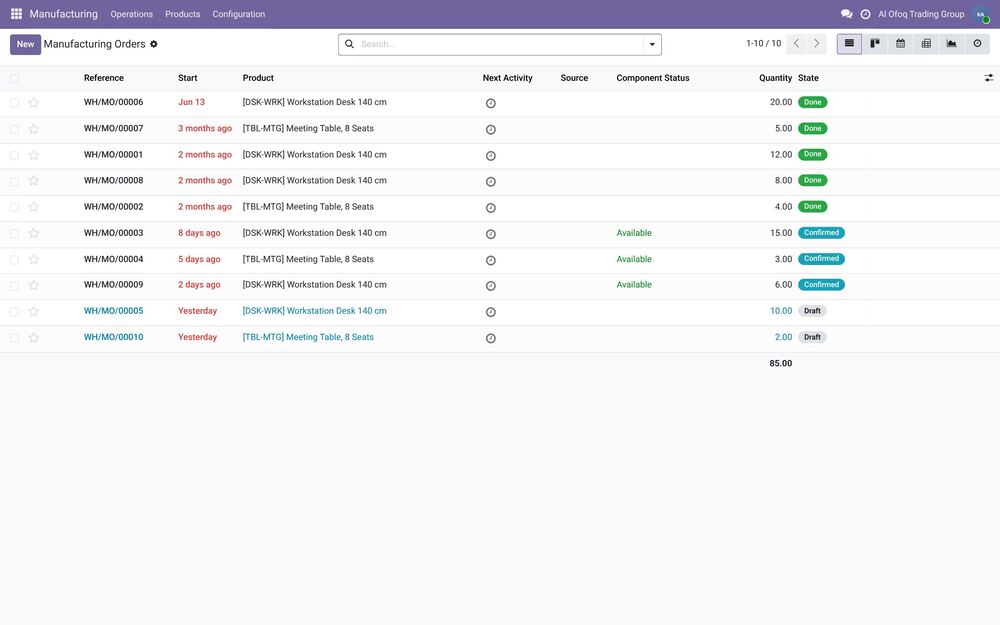
Manufacturing
Plan production and know what each product really costs.
Who it's forFactory owners, production managers and planners who need to see what to make, what's missing and what it costs.
03
Manage and finance
Numbers, people and projects in one place.
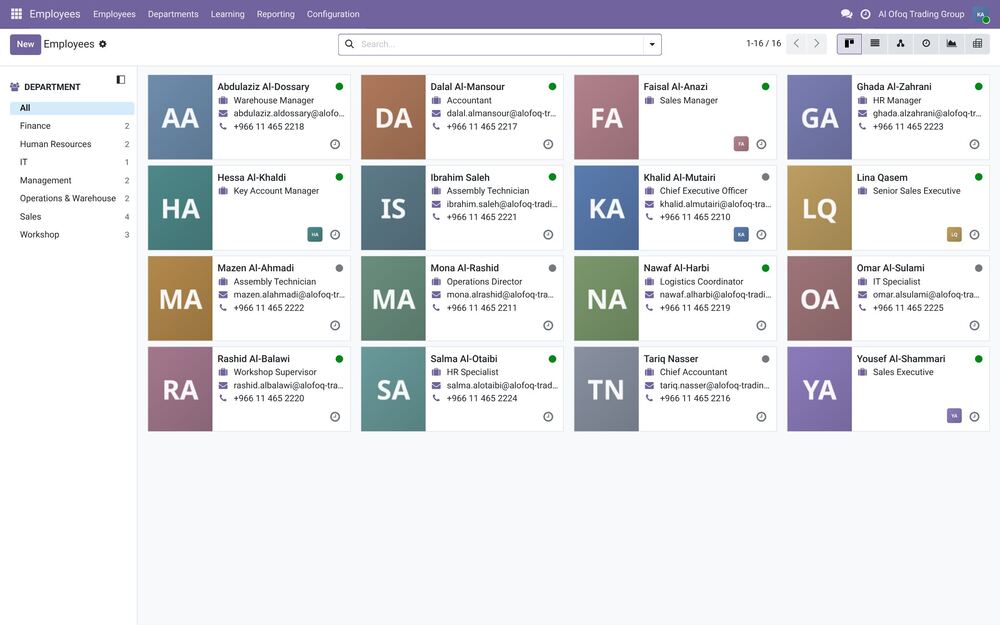
HR, Payroll & Attendance
Staff files, leave and salaries in one place, without the paperwork.
Who it's forHR managers, office managers, and owners who handle employee records, leave and monthly salaries.
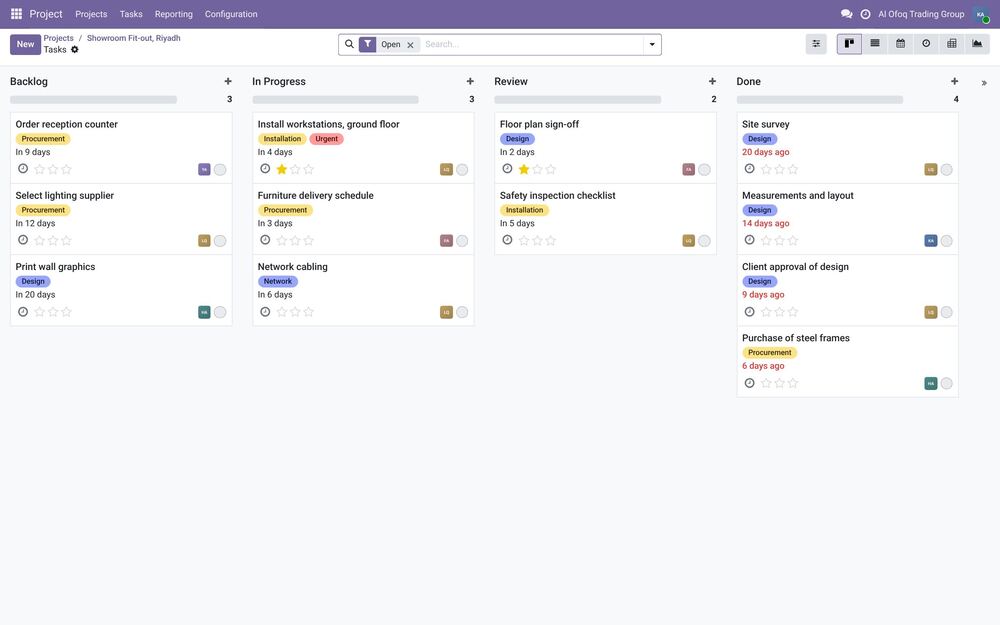
Project & Timesheets
See where your team's time goes, and bill for it.
Who it's forConsulting firms, agencies, contractors, and any team that runs projects for clients.
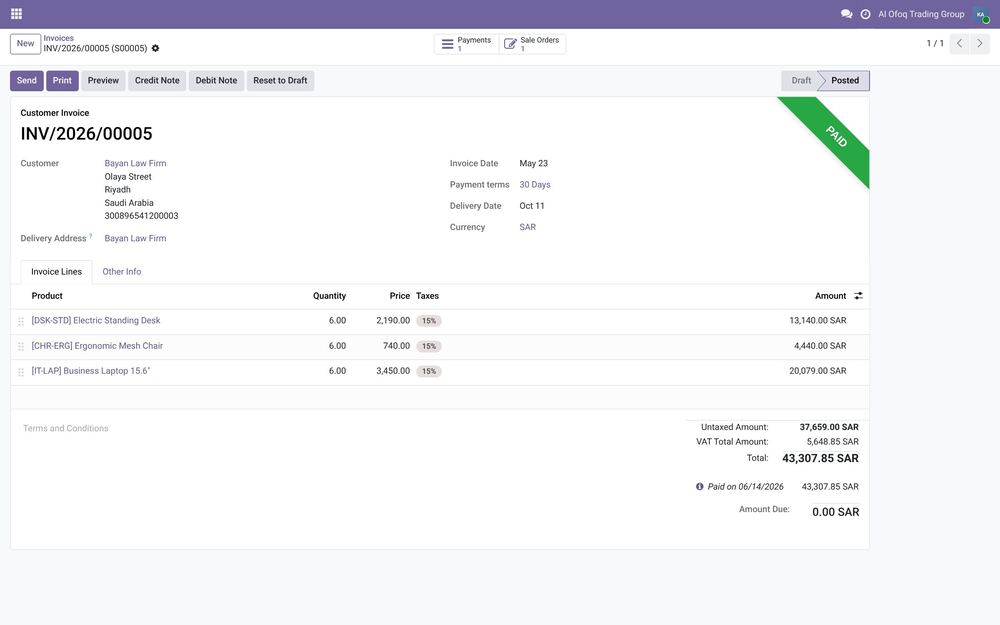
Accounting & Invoicing
Know where your money stands every day, not at month-end.
Who it's forFinance managers, accountants, and owners who want to see cash, receivables and profit without waiting for month-end.
Also available
Fleet and email marketing are further Odoo apps that can be added to your system.
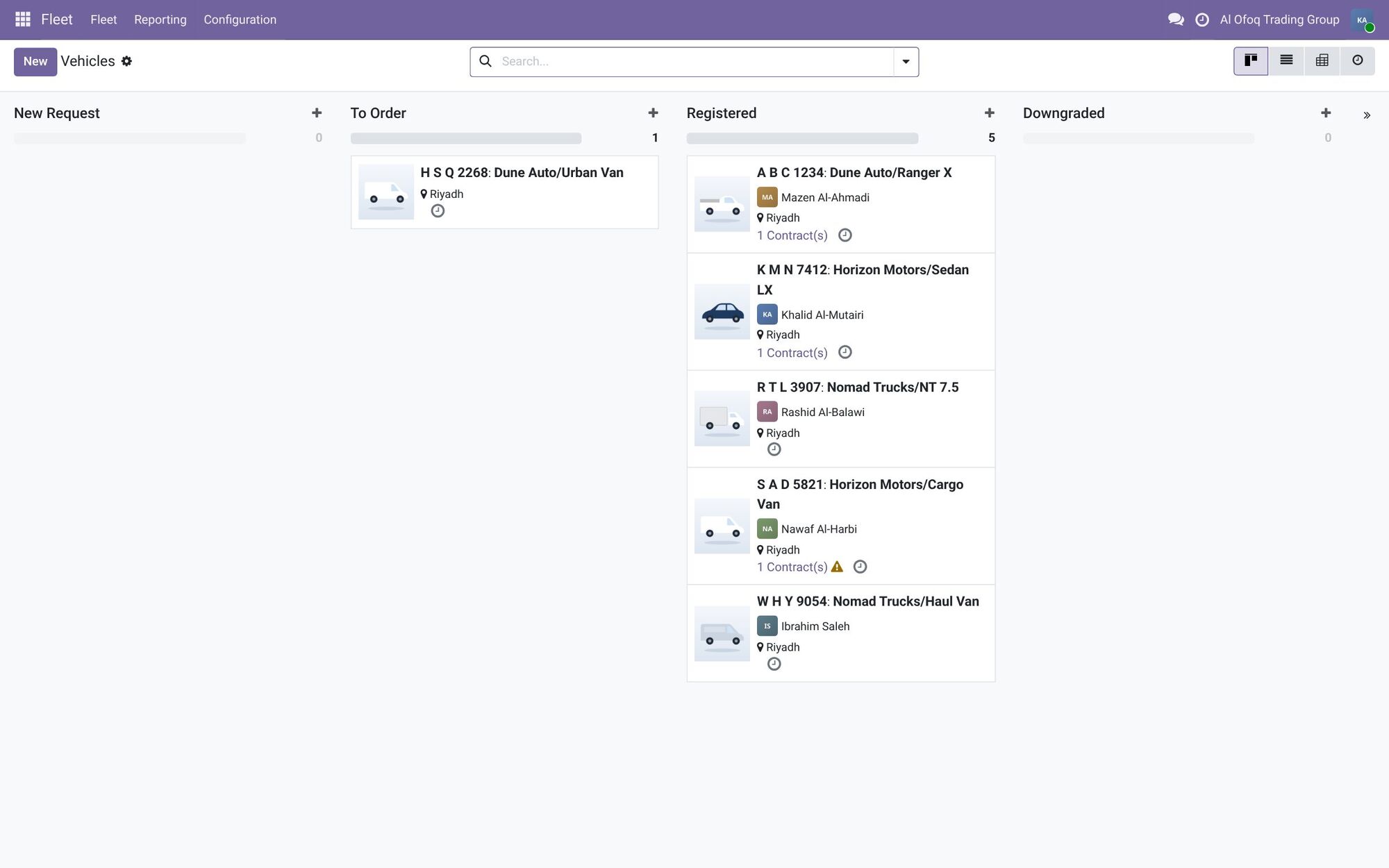
Fleet6 vehicles with drivers and contracts: one to order and five registered (fictional brands). 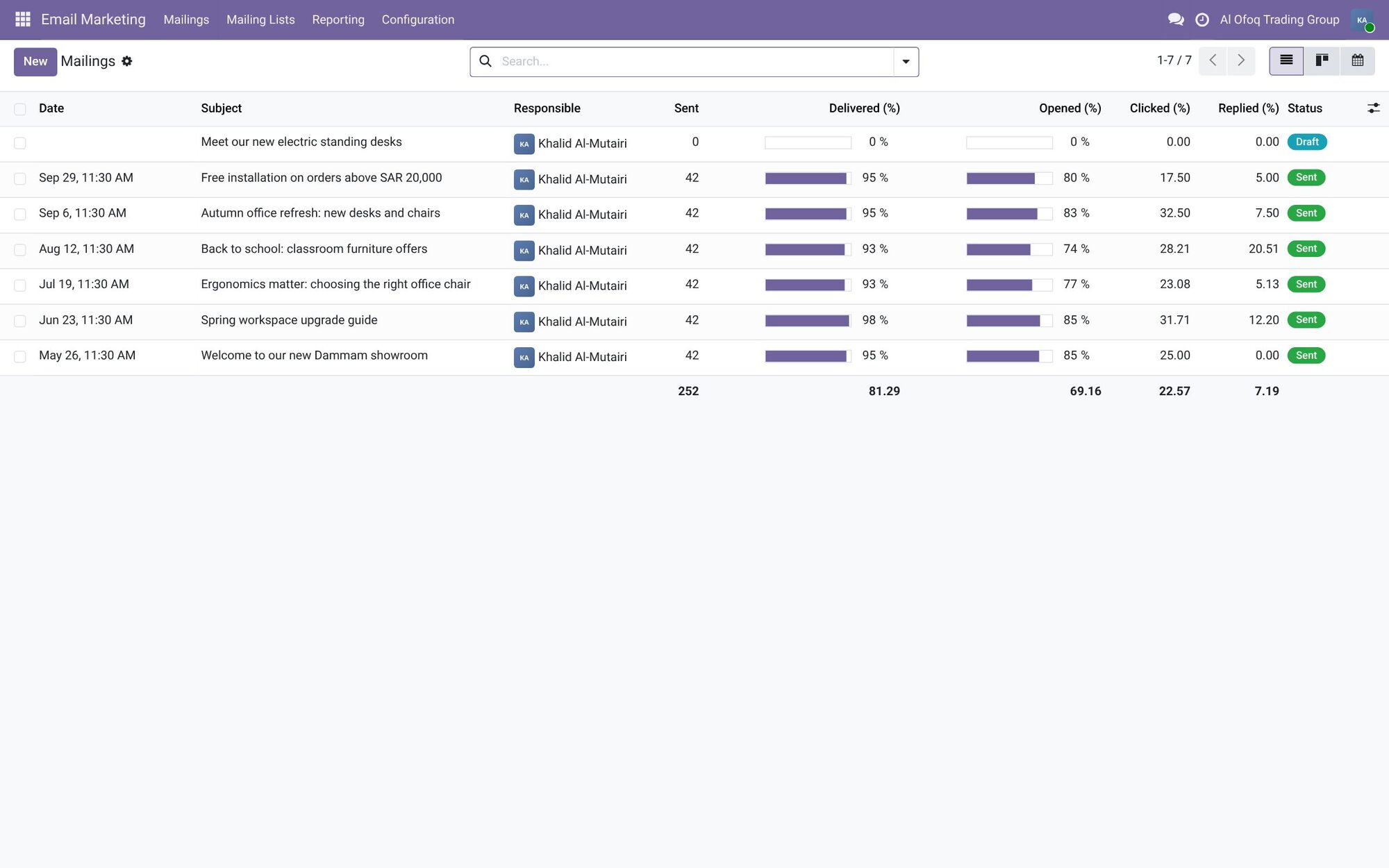
Email marketing7 mailings: 6 sent (42 recipients each) and one draft, with open and click rates.
Screenshots are from Odoo 19 with two demo companies, in Saudi Arabia and Jordan. Names and figures are fictional.
How it works with the other apps
Sales & CRM
A confirmed order tells the warehouse what to ship and tells accounting what to invoice. If stock is short, it can trigger a purchase or a manufacturing order. Website forms send new leads straight into CRM.
Read morePoint of Sale
The POS sells from the same stock as the warehouse and the online store. Each closed session posts to Accounting. Loyalty programs and gift cards can work across your branches.
Read moreWebsite & eCommerce
Products, prices and stock come from Sales and Inventory. Online orders go to the warehouse for delivery and to Accounting for invoicing. Contact forms feed CRM.
Read moreInventory & Warehouse
Sales orders create deliveries. Purchase orders create receipts. Manufacturing takes components out and puts finished goods in. The POS and the online store sell from the same stock, and each movement can update stock value in accounting.
Read morePurchase
Low stock in Inventory creates purchase suggestions. Received goods go into stock. Vendor bills go to Accounting, matched to the order. In Manufacturing, missing components can trigger a purchase.
Read moreManufacturing
Sales orders can trigger production. Manufacturing pulls components from Inventory and adds finished products back. Missing components can trigger Purchase, and production costs flow into Accounting.
Read moreAccounting & Invoicing
Customer invoices come straight from confirmed sales and POS sessions. Supplier bills come from purchase orders. Stock movements can post their value to accounting, and payroll posts salary entries. Every other app ends up here.
Read moreHR, Payroll & Attendance
Approved leave and attendance feed into Payroll. Salaries and expense claims post to Accounting. Timesheets from Project show where staff time went.
Read moreProject & Timesheets
A sold service can create a project on its own. Timesheets feed invoices in Accounting. Purchases and expenses can be linked to a project, so you see its real cost.
Read moreFind the right apps for your company
Tell us how you work today, and we'll suggest where to start.