Inventory & Warehouse
Know what's in stock and where, at any moment.
Who it's forWarehouse managers, storekeepers, and owners who are tired of counts that never match the system.
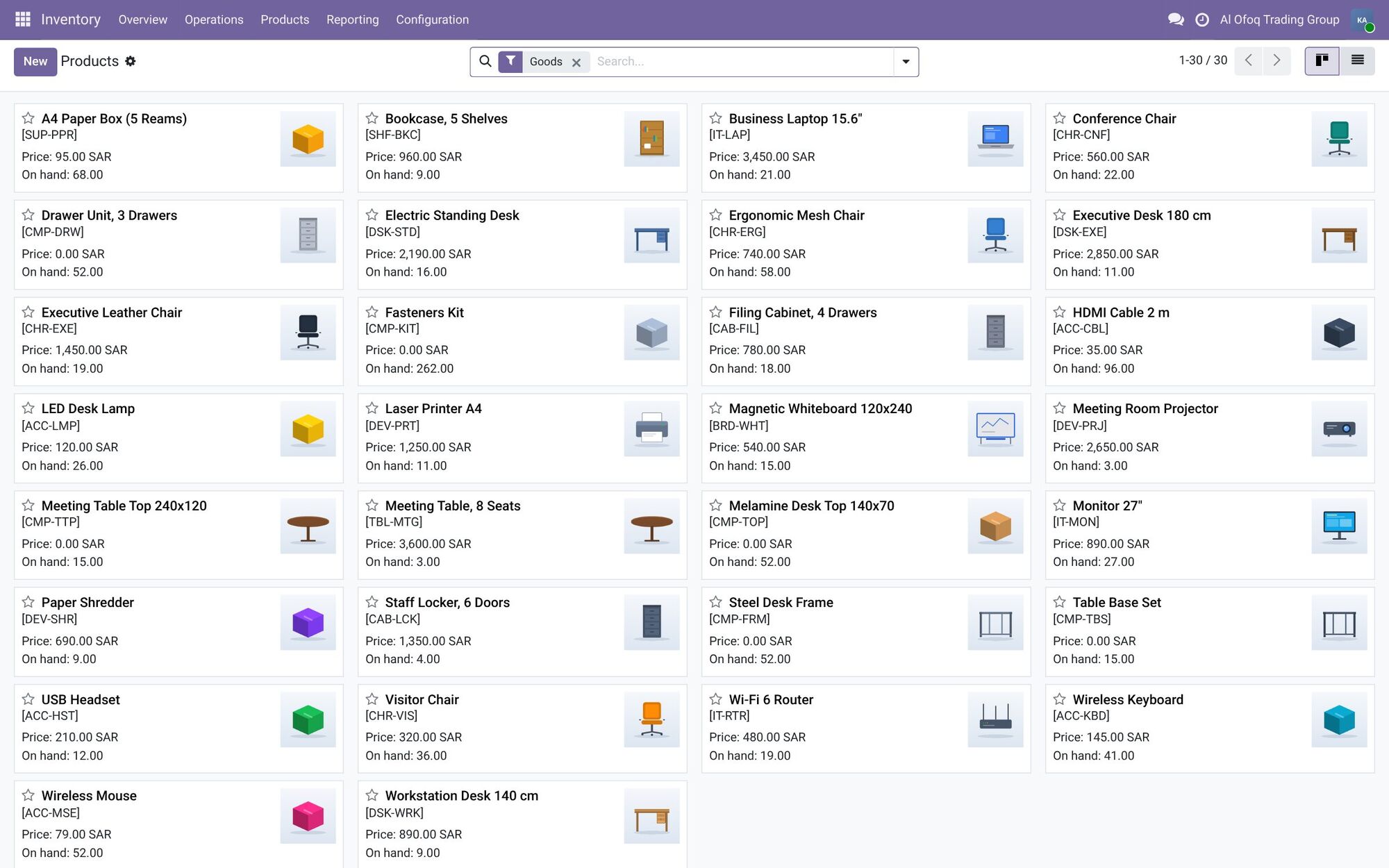
What it does day to day
- See stock per warehouse and per location, updated with every receipt, sale and transfer.
- Receive goods against purchase orders and check what arrived against what you ordered.
- Pick, pack and ship orders in one step or several, depending on how your warehouse works.
- Track batch numbers, serial numbers and expiry dates where you need them.
- Set minimum stock levels, so Odoo prepares purchase orders when stock runs low.
- Add shipping and customs to product cost, so your margins are real.
- Run stock counts and fix differences, with a record of every adjustment.
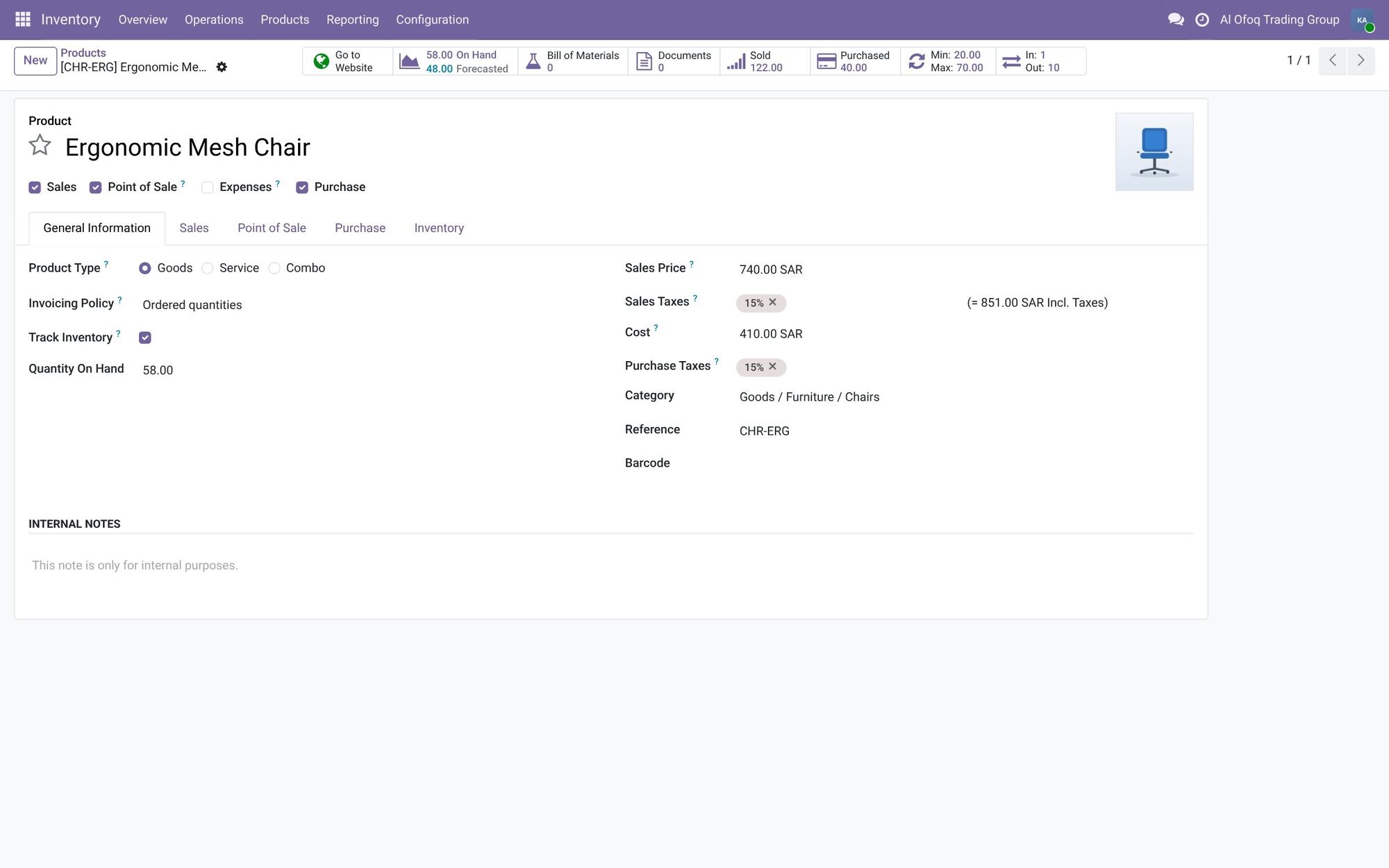
- 58 on hand, 48 forecast
- Sales price 740.00 SAR
- Cost 410.00 SAR
Inside the system
On hand, forecast, sold and purchased sit in buttons on the product form itself.
Screenshots are from Odoo 19 with two demo companies, in Saudi Arabia and Jordan. Names and figures are fictional.
What changes for you
Stock in the system matches stock on the shelf, so sales can promise delivery dates they can keep. You stop over-ordering slow items and running out of fast ones. Stock value shows up in accounting without a separate calculation.
How it works with the other apps
Sales orders create deliveries. Purchase orders create receipts. Manufacturing takes components out and puts finished goods in. The POS and the online store sell from the same stock, and each movement can update stock value in accounting.
Common questions
Can we manage more than one warehouse or branch?
Yes. Odoo handles several warehouses and locations, and you move stock between them with transfers.
Does it work with barcode scanners?
Yes. You can scan barcodes in many screens. The dedicated Barcode app, for receiving and picking with a scanner or phone, is part of Enterprise.
Can it handle products with expiry dates?
Yes. Odoo tracks batches and expiry dates, and can alert you before products expire.
How do we get our current stock into Odoo?
We import your product list and opening quantities from Excel or your old system. A full stock count before go-live makes sure the starting numbers are right.
Find the right apps for your company
Tell us how you work today, and we'll suggest where to start.