Project & Timesheets
See where your team's time goes, and bill for it.
Who it's forConsulting firms, agencies, contractors, and any team that runs projects for clients.
What it does day to day
- Split each project into tasks with owners, deadlines and stages.
- Log hours on each task from the browser or the phone.
- Bill clients by hours worked, by fixed price or by milestone.
- Let clients follow their project's tasks through a portal.
- Compare hours and costs with what you planned and what you billed.
- Set recurring tasks for routine work.
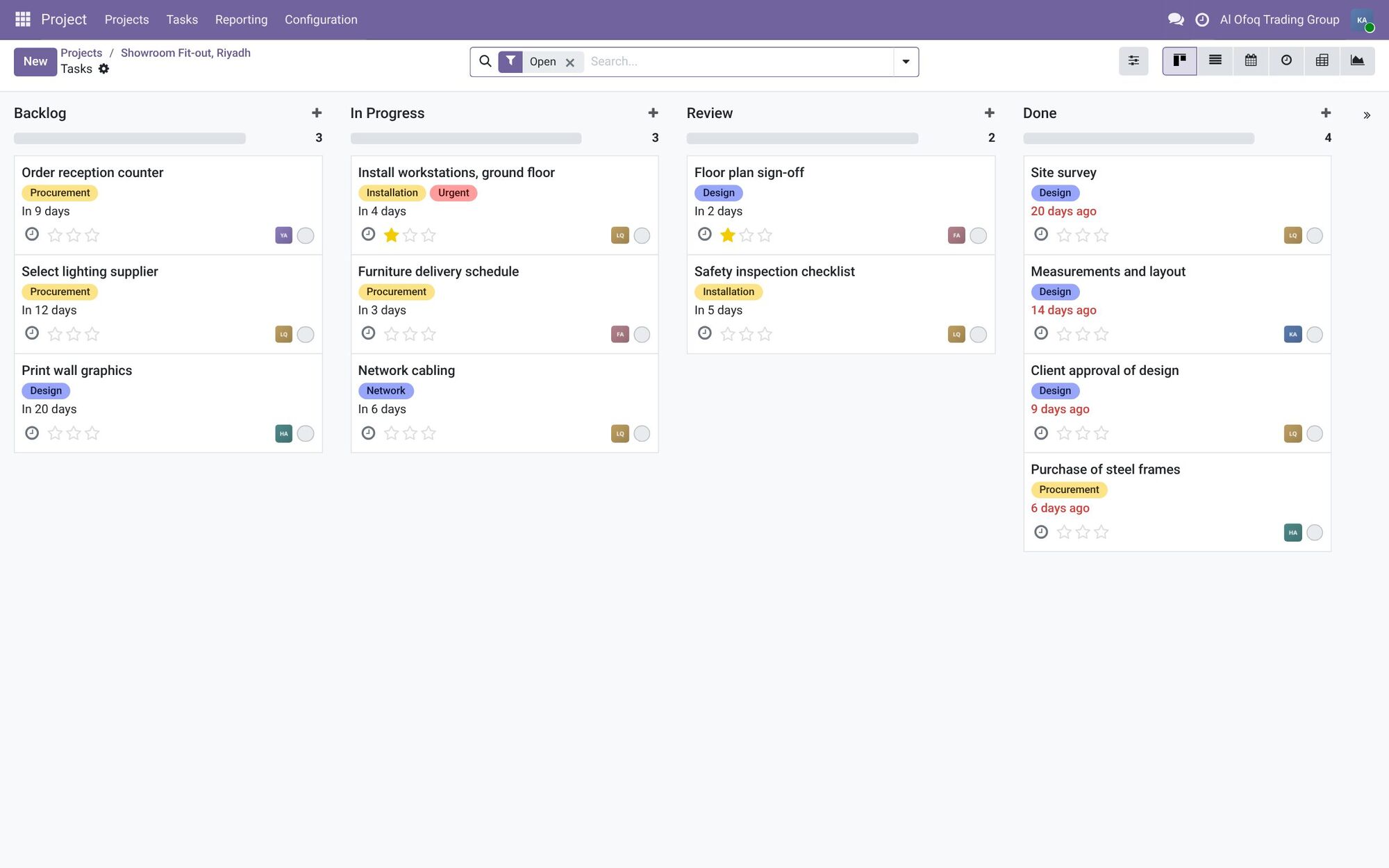
- Stage and its task count
- Task tags
- Priority
Inside the system
Each task is a card in its stage, with its tags and priority.
Screenshots are from Odoo 19 with two demo companies, in Saudi Arabia and Jordan. Names and figures are fictional.
What changes for you
You stop guessing which projects make money. Hours get logged where the work happens, so invoices match the work done. Managers see each person's workload before deadlines slip.
How it works with the other apps
A sold service can create a project on its own. Timesheets feed invoices in Accounting. Purchases and expenses can be linked to a project, so you see its real cost.
Common questions
Can clients see their project?
Yes. Clients can get portal access to see tasks and progress and leave comments, without access to the rest of your system.
Does it have Gantt charts?
Yes, in Odoo Enterprise. Community shows projects as lists, boards and calendars.
Can we invoice clients from timesheets?
Yes. Approved hours can go straight onto the client's invoice, at the rate you set for the service.
Find the right apps for your company
Tell us how you work today, and we'll suggest where to start.