Point of Sale
Sell fast at the counter, with stock updated after every sale.
Who it's forShops, showrooms, cafés and restaurants, with one branch or many.
What it does day to day
- Sell from a tablet, PC or touch screen, with barcode scanners and receipt printers.
- Accept cash and card, and split one payment between them.
- Run discounts, loyalty points, coupons and gift cards.
- Open and close each cashier's session with a cash count, so differences show up the same day.
- Look up customers and their purchase history at the counter.
- Keep selling for a while if the internet drops. Sales sync when it's back.
- See sales per branch, cashier and product as they happen.
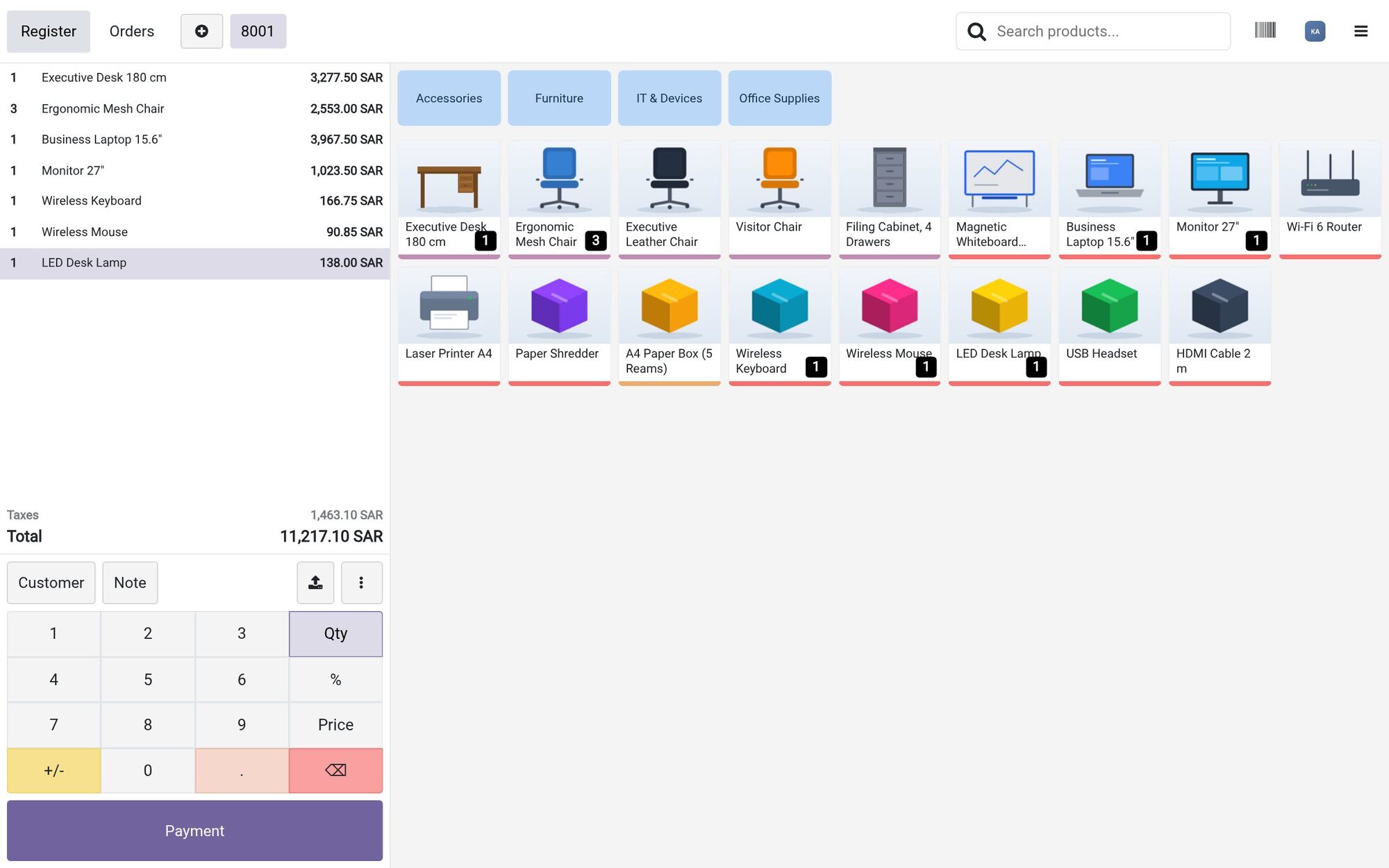
- Order lines
- Total with VAT
- Product categories
Inside the system
Order lines and the total beside the product categories.
Screenshots are from Odoo 19 with two demo companies, in Saudi Arabia and Jordan. Names and figures are fictional.
What changes for you
Every sale reduces stock in the system right away. Cash differences get caught at the end of each shift, not at the end of the month. Owners see each branch's sales from anywhere.
How it works with the other apps
The POS sells from the same stock as the warehouse and the online store. Each closed session posts to Accounting. Loyalty programs and gift cards can work across your branches.
Common questions
What hardware do we need?
A tablet or PC, plus a receipt printer, cash drawer and barcode scanner if you use them. We check your current devices during the study, since some may work as they are.
Does it work for restaurants?
Yes. Odoo POS has a restaurant mode with table plans, split bills and orders sent to the kitchen.
Can we run many branches?
Yes. Each branch gets its own POS and stock location, and you see all branches together in one system.
Find the right apps for your company
Tell us how you work today, and we'll suggest where to start.