Purchase
Order on time, and pay only for what arrived.
Who it's forPurchasing officers, procurement managers, and owners who approve spending.
What it does day to day
- Send requests for quotation to vendors and turn the best one into a purchase order.
- Compare offers from several vendors for the same items.
- Keep each vendor's prices and delivery times on the product.
- Require a manager's approval for orders above an amount you choose.
- Get purchase suggestions when stock drops below its minimum.
- Follow late deliveries and remind vendors.
- Check vendor bills against what you ordered and what actually arrived before you pay.
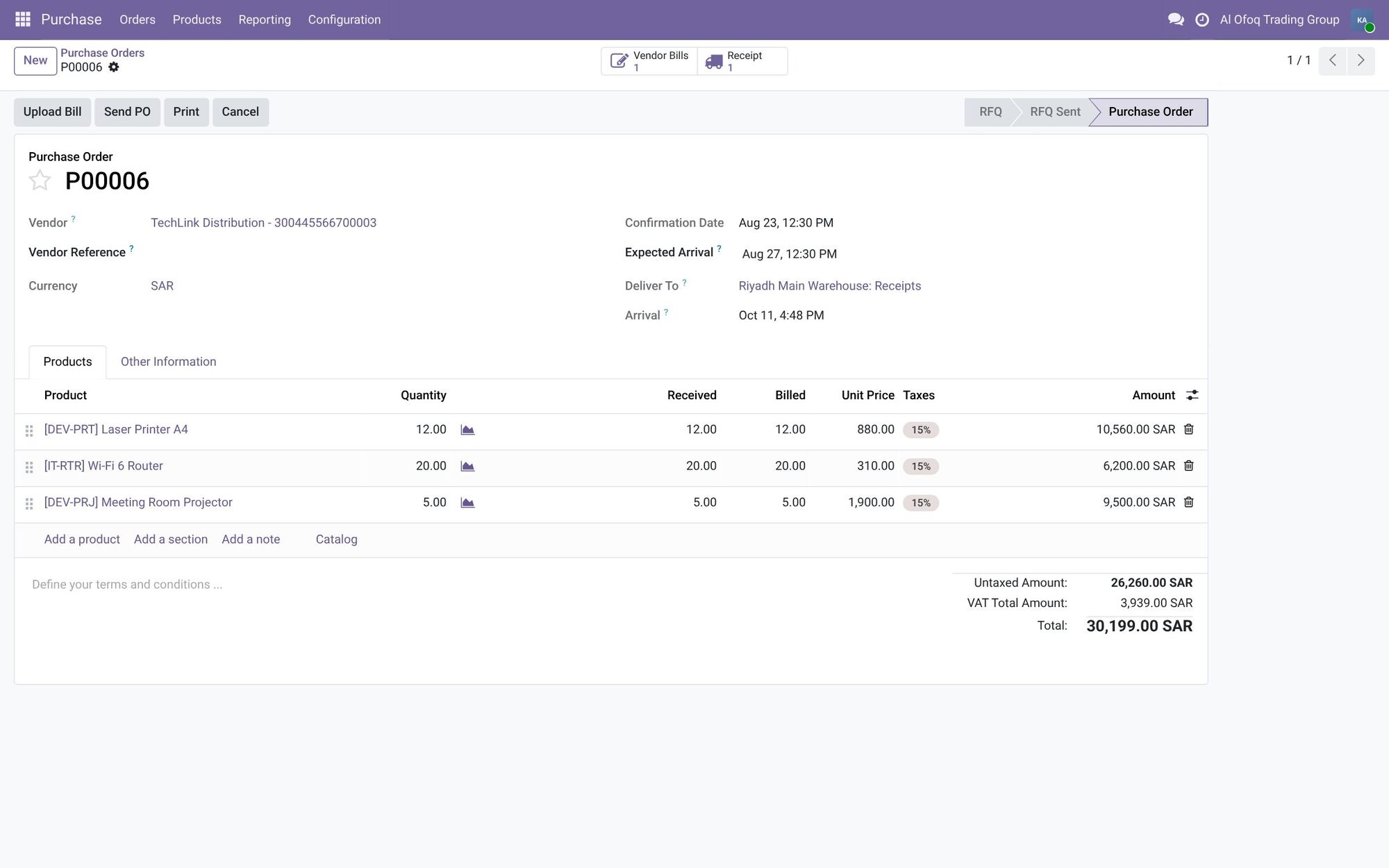
- Confirmed purchase order
- Vendor bill and receipt
- Received and billed per line
- Total with VAT
Inside the system
What was ordered, received and billed, per item, on one line.
Screenshots are from Odoo 19 with two demo companies, in Saudi Arabia and Jordan. Names and figures are fictional.
What changes for you
Purchasing stops depending on memory and WhatsApp messages. Every order has a record, an approval and a status. Finance pays bills knowing the goods arrived.
How it works with the other apps
Low stock in Inventory creates purchase suggestions. Received goods go into stock. Vendor bills go to Accounting, matched to the order. In Manufacturing, missing components can trigger a purchase.
Common questions
Can we set approval limits?
Yes. You can require a manager's approval for purchase orders above a set amount.
Can we buy in foreign currencies?
Yes. Purchase orders and vendor bills can be in any currency, and Accounting converts them using exchange rates.
Can we include customs and shipping in product cost?
Yes. Odoo can add landed costs, like freight and customs, to the cost of the products in a shipment.
Find the right apps for your company
Tell us how you work today, and we'll suggest where to start.