Accounting & Invoicing
Know where your money stands every day, not at month-end.
Who it's forFinance managers, accountants, and owners who want to see cash, receivables and profit without waiting for month-end.
What it does day to day
- Issue customer invoices and record supplier bills.
- Record payments and match them to invoices, so you always know who still owes you.
- Import bank statements and reconcile them with your entries.
- Send payment reminders to customers with overdue invoices.
- Track costs by branch, project or department with cost centers.
- Work in more than one currency. Odoo records exchange differences for you.
- Get tax reports, profit and loss, balance sheet and aged receivables from live data.
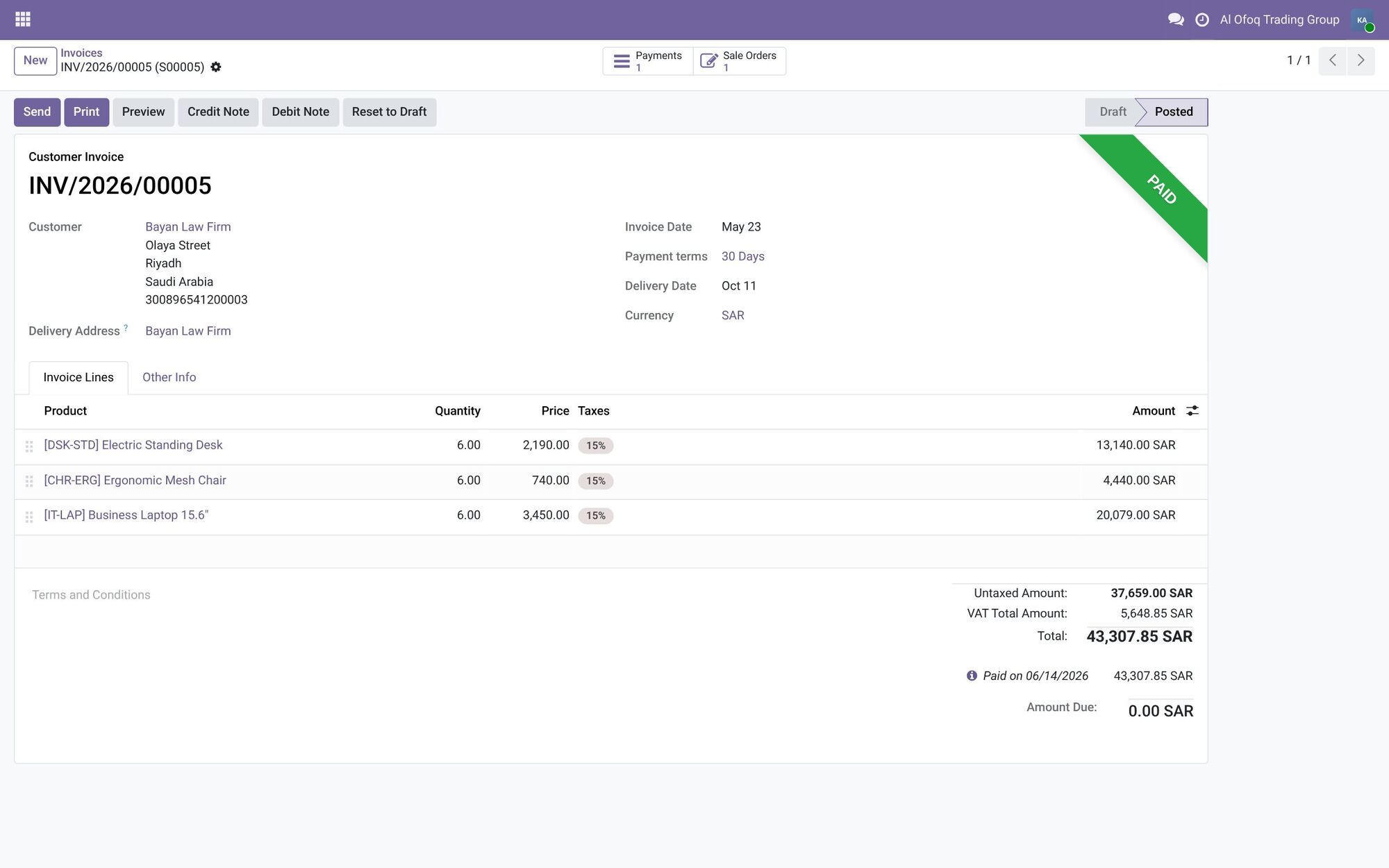
- 15% tax on every line
- Total VAT
- Amount due
Inside the system
Tax is worked out on every line, and the total and amount due are clear.
Screenshots are from Odoo 19 with two demo companies, in Saudi Arabia and Jordan. Names and figures are fictional.
More screens from this area
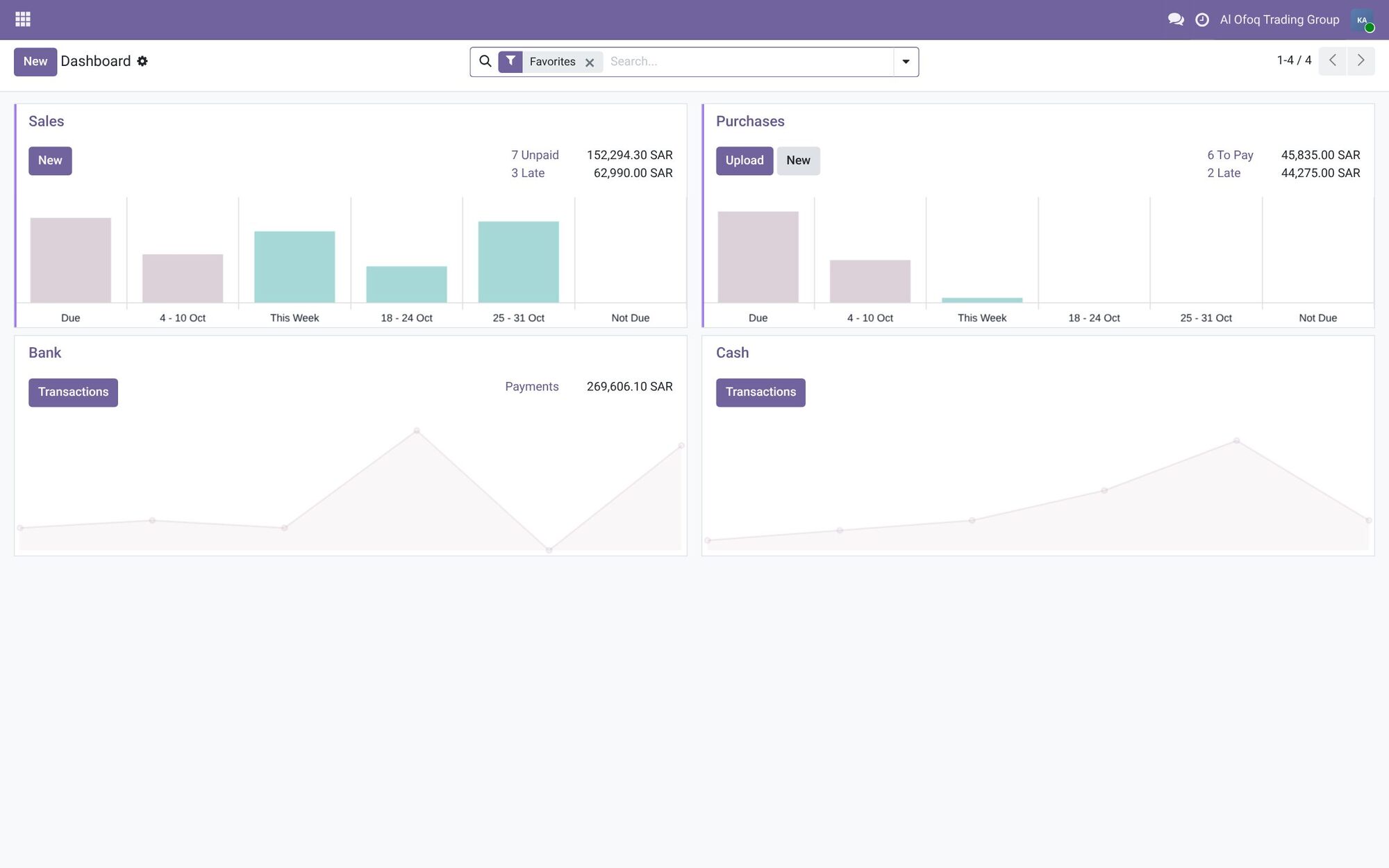
AccountingSales, purchases and bank on one board: 7 unpaid invoices worth 152,294.30 SAR, 3 of them late.
What changes for you
Month-end stops being a week of chasing numbers. Sales and purchases reach the books when they happen, so closing is mostly checking. Open the system any morning and you see your cash, what customers owe you, and what you owe suppliers.
How it works with the other apps
Customer invoices come straight from confirmed sales and POS sessions. Supplier bills come from purchase orders. Stock movements can post their value to accounting, and payroll posts salary entries. Every other app ends up here.
Common questions
Does Odoo Accounting follow Saudi and Jordanian tax rules?
Yes. Odoo has local setups for both countries, with a chart of accounts and taxes ready to use. We review them with your accountant and adjust them to your company.
Can our external accountant or auditor still work with us?
Yes. They can get their own user in Odoo, or receive the reports they need exported to Excel or PDF.
Is full accounting available in the free Community edition?
Community covers invoicing and payments. Full accounting, with financial reports, bank reconciliation tools and fixed assets, is part of Enterprise.
Can we start in the middle of the year?
Yes. We bring in your opening balances and open invoices on the start date, so your books continue from where they were.
Find the right apps for your company
Tell us how you work today, and we'll suggest where to start.